
You need a subaccount AccountSid and Auth token to access the subaccount resources.
How get subaccount AccountSid
AccountSidStep 1: Create a subaccount here.
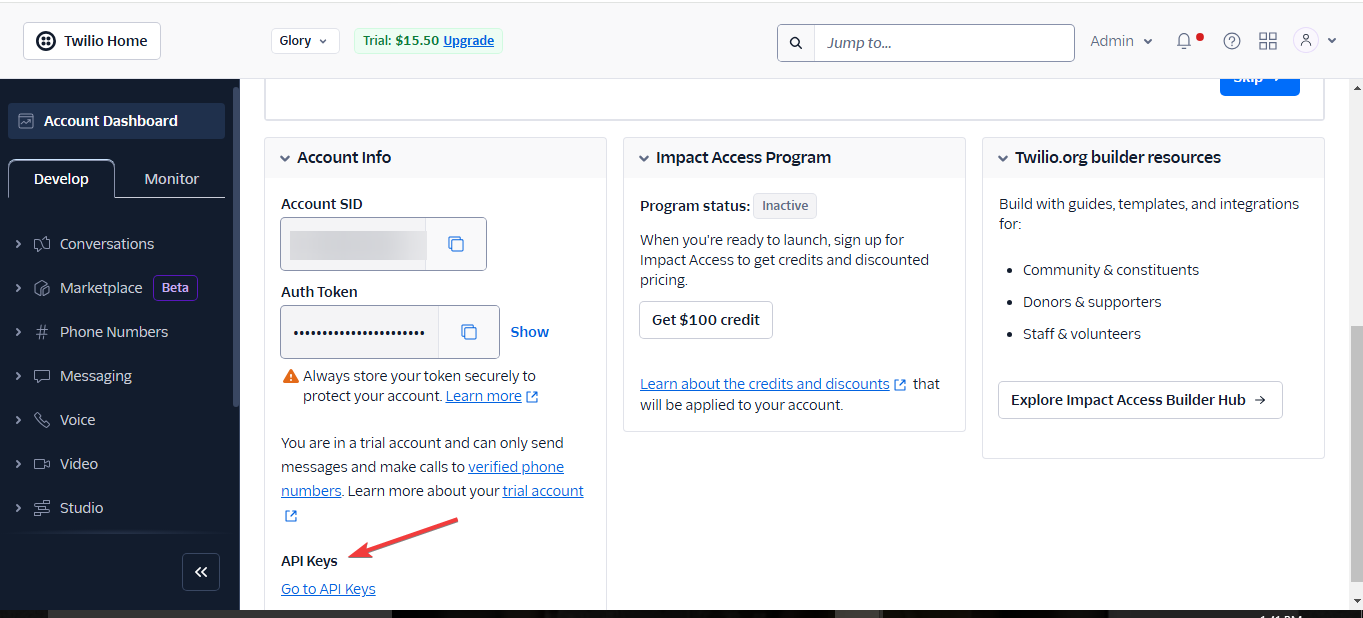
Step 2: Once you have successfully created a subaccount, navigate to your Twilio Account dashboard.
Step 3: Scroll down to the 'Account Info' section and click 'Go to API Key.
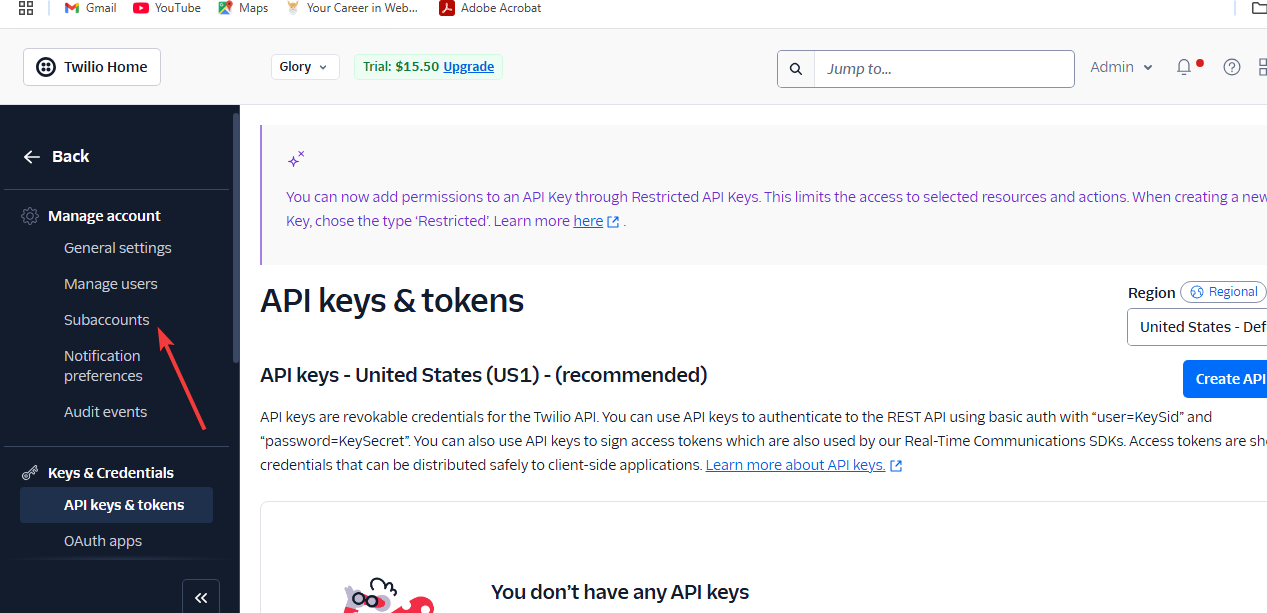
Step 4: Locate 'Subaccounts' on the left side of your account dashboard.
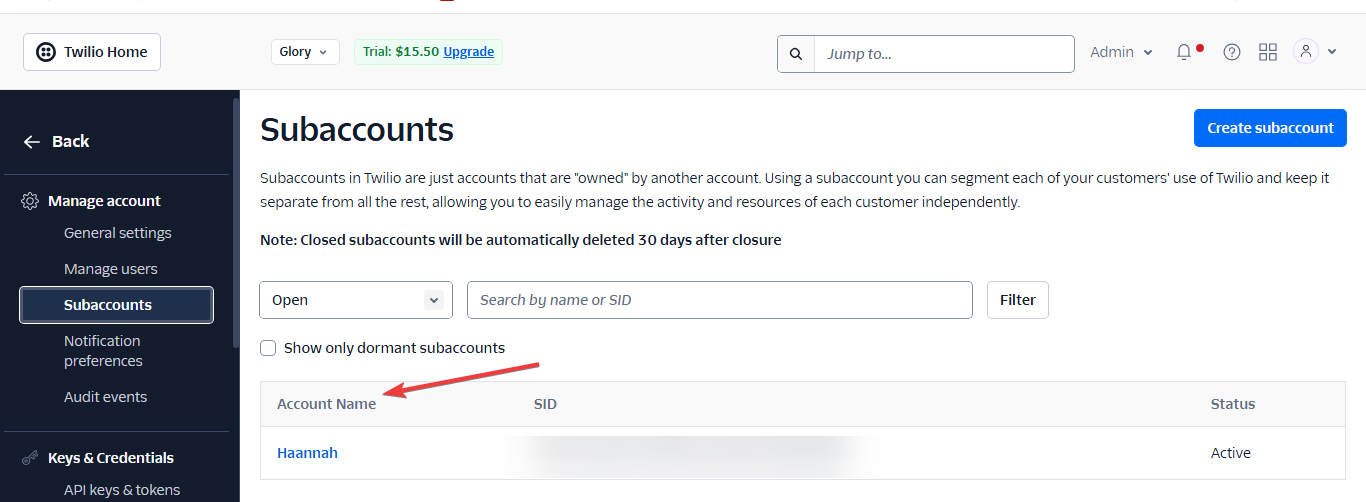
Step 5: Get your subaccount AccountSid for each subaccount you have created.
How to get your subaccount Auth Token
Auth TokenStep 1: Make a request to the Find subaccount by AccountSid endpoint.
Step 2: Enter your subaccount AccountSid in the path parameter.
Step 3: Get your subaccount Auth token from the response you got.
Note:
You cannot use a subaccount's credentials to access the resources of your main Twilio account or any other subaccounts
If you're authenticating the helper libraries, pass in your main Account SID and main Auth Token as the first two credentials, and the appropriate subaccount SID as the third parameter.